Landscape Wizard
This feature makes it easy to create a greater number of original landscapes by allowing you to combine terrains, shaders, skies, vegetation, and rendering presets however you like.

This feature makes it easy to create a greater number of original landscapes by allowing you to combine terrains, shaders, skies, vegetation, and rendering presets however you like.
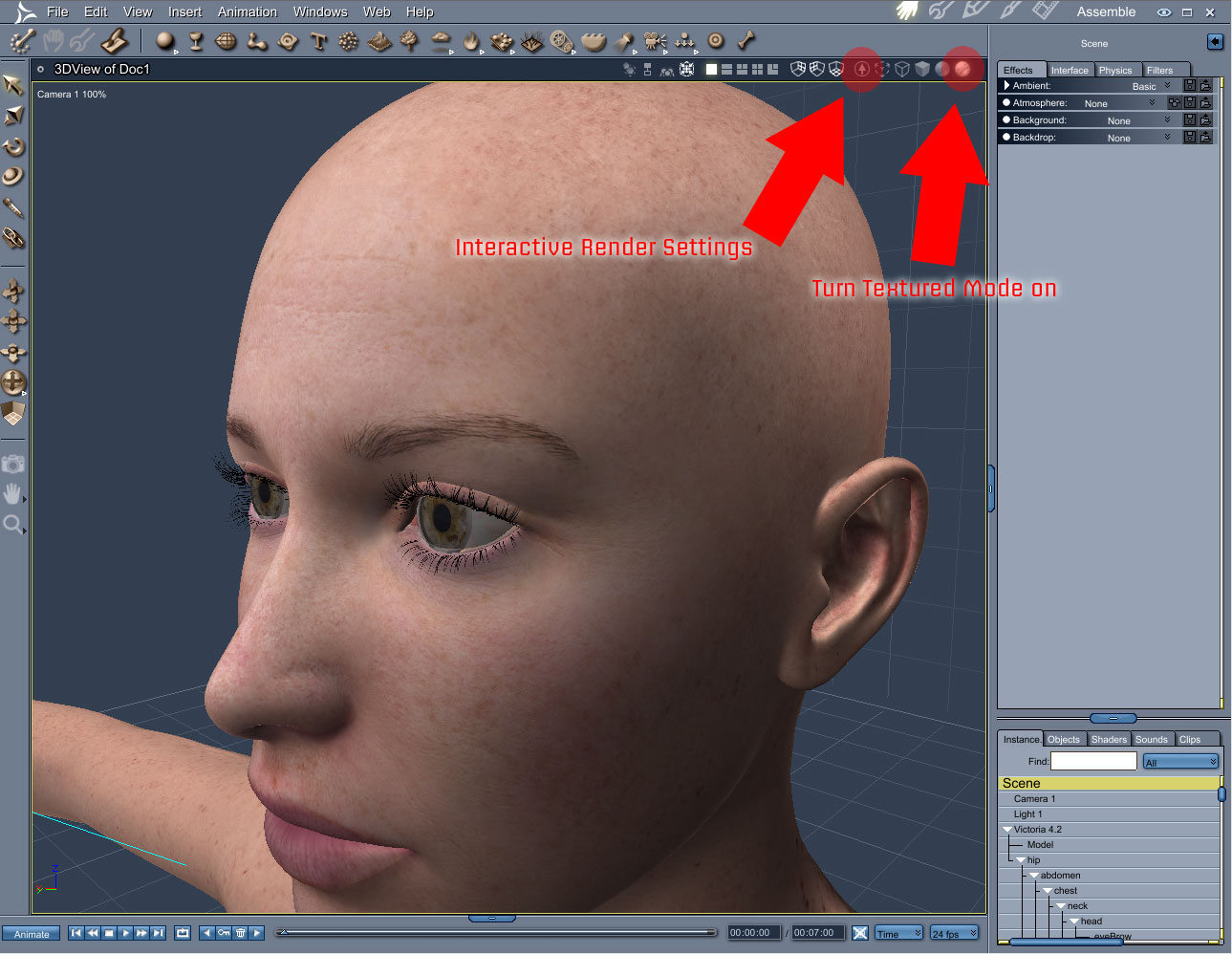
Carrara provides the ability to increase the texture size that is displayed in the OpenGL or viewport display. The settings will be based on what texture size your graphics board will support, and can be adjusted for performance or quality.
Look at those images to know better where to find this feature.
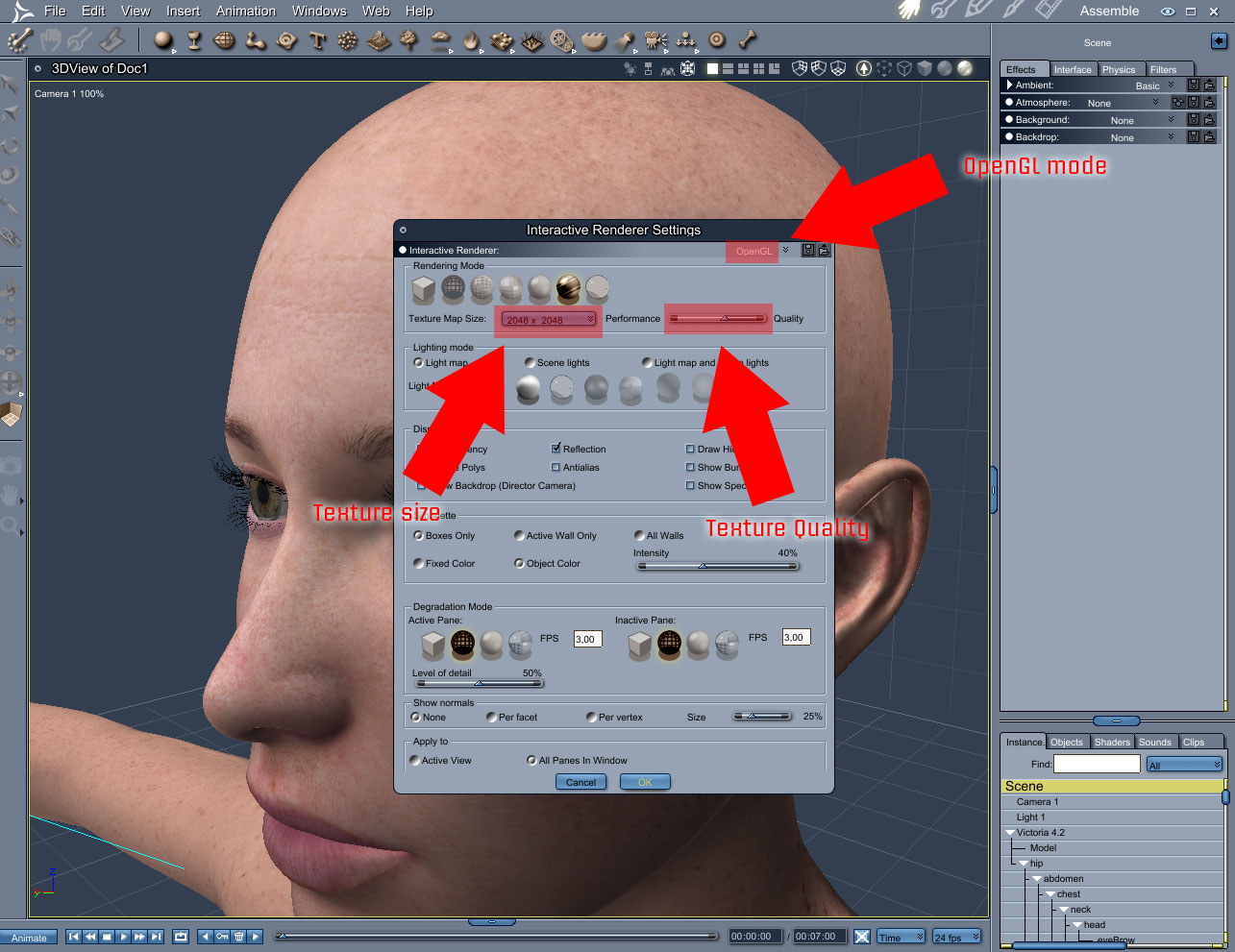
The OpenGL engine now has support for texture maps that use alpha channels, as well as an improved textured preview mode. OpenGL performance has been improved in the vertex modeler to allow editing of large meshes to be performed much more quickly.
Experiment to your heart’s content. With multiple levels of undo and redo, you don’t need to be afraid to try something out even when you’re in the middle of a serious project. If you don’t like what happens, simply go back to the point where you were happy with your creation.
Carrara allow you to select more them one instance at same time and adjust many parameters at once too.
This feature makes it easy to start the design of your scene by choosing from a series of presets, the landscape wizard or an empty scene.
The camera speed, size of the working box and default size of the primitives are adjusted accordingly. This makes it a lot easier to create a landscape at real-life scale.












 Saving...