A new section for CarraraCafe has been added, the Freepozitory, currently only a button link on the main page to the original forum post.It includes to most important links to the major freebie sites, like ShareCG, Renderosity and the old Daz3D Freepozitory, but the idea is to add new freebie links too.
Three new products for Carrara (and Daz Studio and Poser too) has just been released by DimensionTheory, as usual there is an intro price of 30% off, the HDR Pro Sets Urban Recreation is currently 50% off.
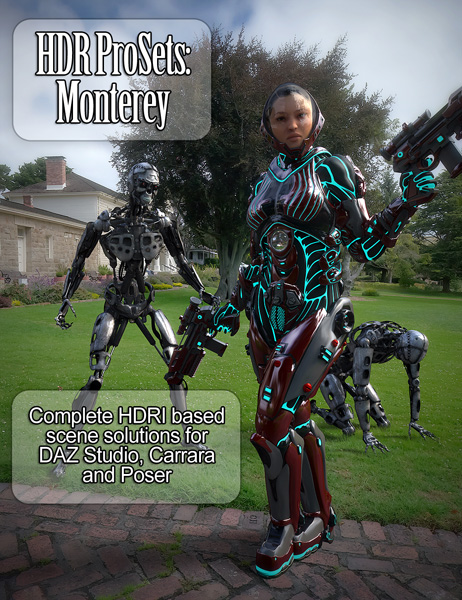
I’m happy to announce the release of my second HDR Prosets product, from my trip to Monterey California! This set is now available in the store, with presets supporting DAZ Studio, Poser and Carrara. Also, new to the series are my “Basesets” which I’ll be releasing with each new set. These contain just the HDRI files and background textures for use in most any program at a cheaper price, very useful if you don’t use the named programs or just want to make your own presets!
On another note, Carrara and Poser support has been rolled out for my previous set Urban Recreation! Those who purchased this set previously should be receiving the updated files, if not please reset your downloads and let me know if there’s issue. Newcomers will be able to grab the set at it’s original discounted price of 50% off for a limited time! Please enjoy these new presets and feel free to post your renders for me to see!
Carrara 8 Pro is on the Top 10 sellers list of the Daz3D.com store for January, mentioned both in a newsletter and on the Sales/Promotions page.
This is celebrated with and extra sale on the whole Top 10 list, including Carrara 8 Pro, which is 48% off for non Platinum Club members and 69% for PC members.
PC members have also received a 25% rebate code with the Daz Install Manager promotions 1-2 weeks ago, for Daz Original products, unsure if Carrara 8 Pro will work with that code though.
Here’s another tutorial on creating gears in the vertex modeller. The subject was inspired by Cripeman’s tutorial but the method is different. This one focuses on the replicate and bend and twist modifiers to produce meshable gears of different sizes. Feedback is welcome. Enjoy
Fenric has just updated three of his plugins for Carrara, details below:
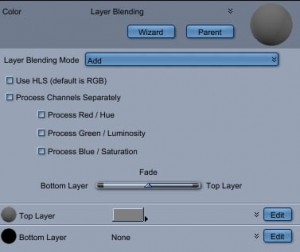
Blending Mode Shader 1.1
This adds a “Fade” slider that allows you to adjust the strength of the effect, favoring either the top or bottom layer. It also enables non-color shaders to be used.
Enhanced Shaders 1.1
This corrects the issue where non-color shaders (value or black and white) did not have any effect.
Shader Doctor 1.2
This adds the ability to hold down ‘Shift’ while launching the Shader Doctor to display a dialog box that allows you to optionally specify the highlight, shininess, and bump amplitued. Check the box next to the value you wish to change. Any un-checked boxes are processed as usual.















 Saving...