New plugin : HDR light Domes

Philemo introduced a new plug-in!
Carrara has 2 kinds of lighting, direct and indirect.
- Direct lighting comprises all kinds of lights (directional, sun, bulb, spot, anything that glows, shape lights…).
- Indirect lighting includes ambient, sky light, and indirect light.
The main difference between direct and indirect is that all the features of the lighting model (highlights, shadows, SSS, translucency) are used only with direct lighting. Indirect lighting considers all materials as matte, with no SSS and no shadows. If your materials follow this description, then no problem. Otherwise, renders using indirect lights often seem dull and whitish.
The goal is to add true environment lighting in Carrara, as seen in all modern renderers.
To come back to this plugin, the idea is to create a dome of direct lights (specifically directional lights) with values extracted from an HDRI map. This is supposed to give you the best of both worlds.
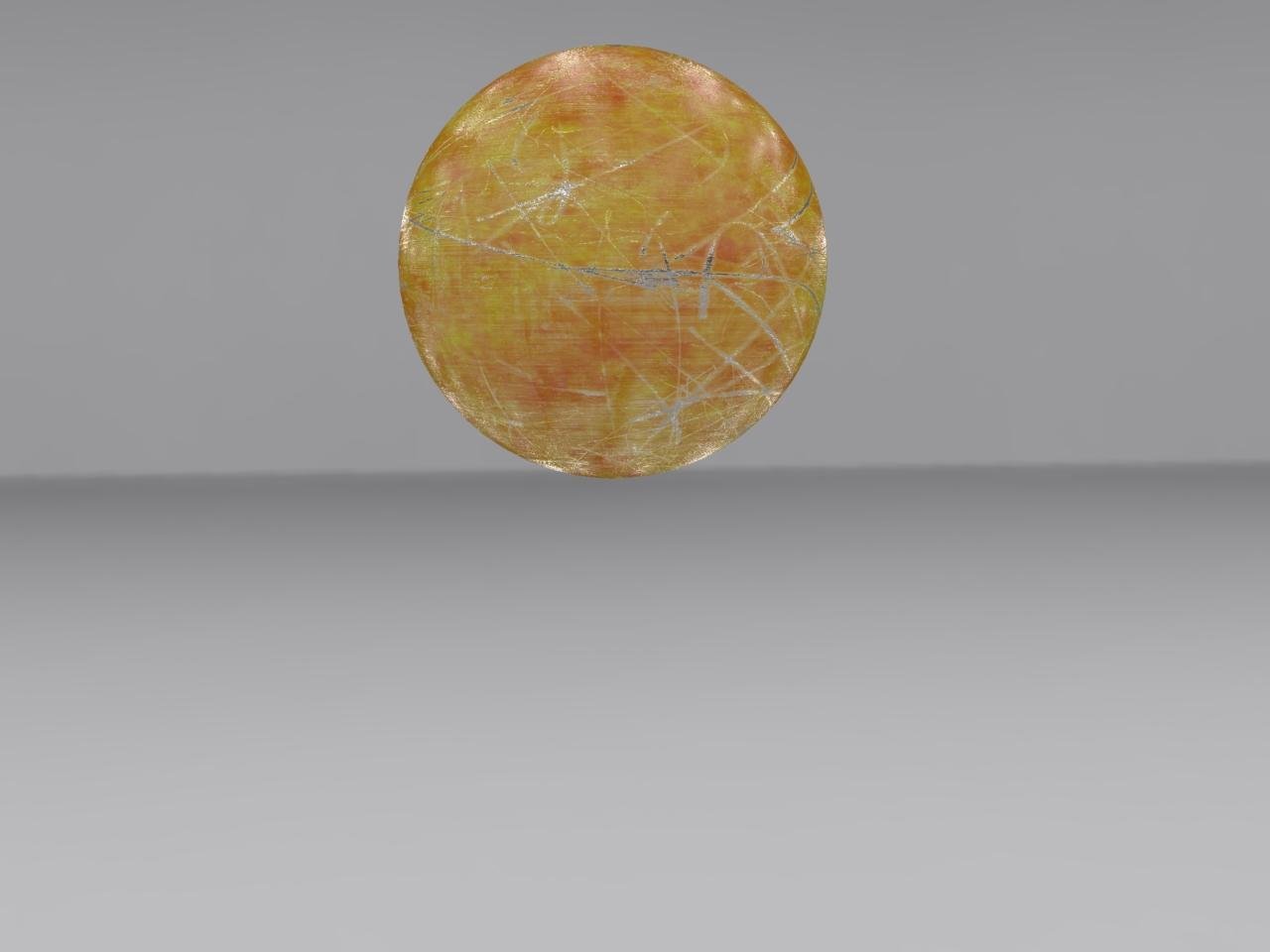
A side-by-side comparison of rendering a shiny object using sky light and dome light
Sky light
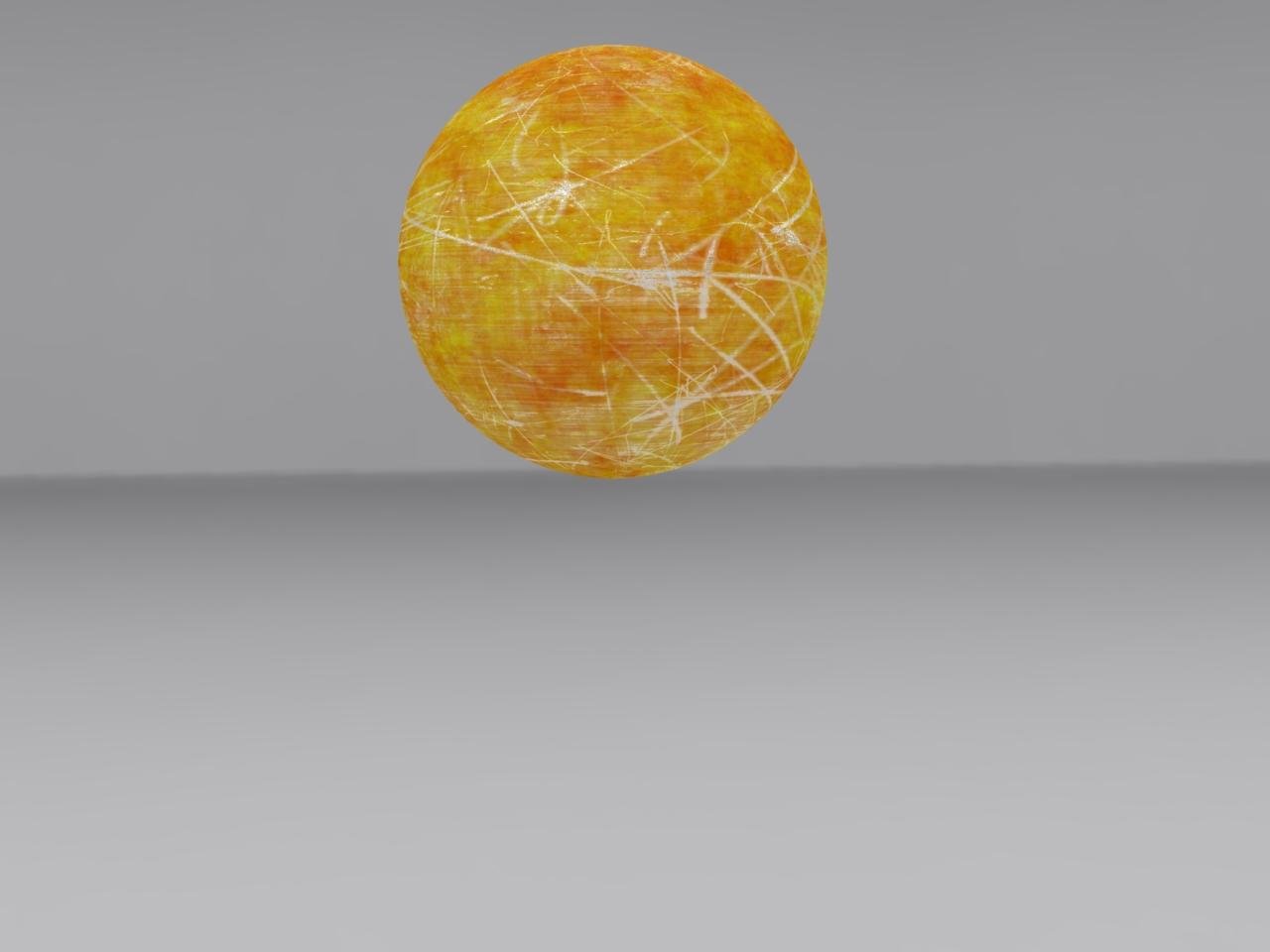
Dome light
How to use it
- First, there must be an HDR Background set for the scene.
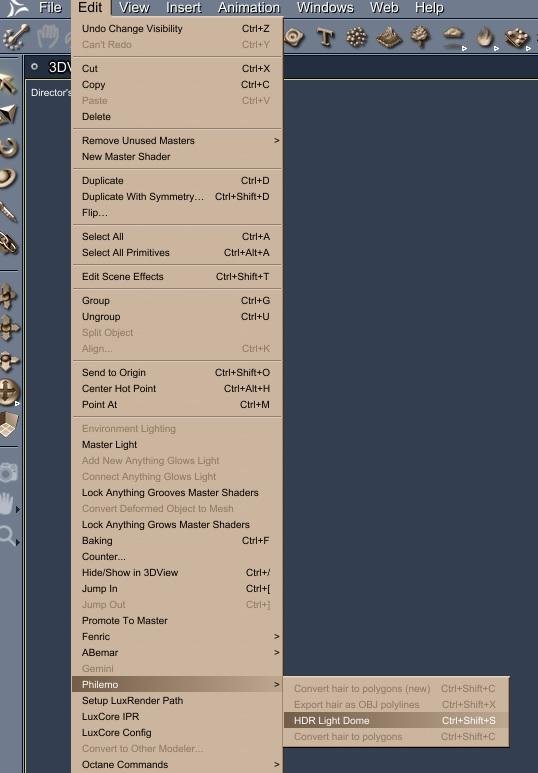
- The command to create it is in the menu: EDIT / Philemo / HDR Light Dome.
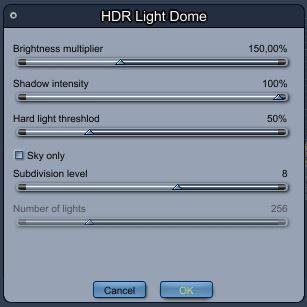
It opens a window with 5 parameters:
- Brightness multiplier: Similar to the sky light intensity slider in the render room. It is related to the shadow you’ll use (hard light threshold slider below). The more shadow you use, the more brightness you need.
- Shadow intensity: Same as in standard lights.
- Hard light threshold: The threshold below which a light will be considered a hard light (i.e., cast shadows). A 5% value leaves only the sun as a hard light in a bright sky. A 200% value makes all the lights cast hard shadows.
- Sky only: Generates a half dome and excludes light coming from the ground.
- Subdivision level: Drives the number of lights generated by a power of 2 (5 is 32 lights, 6 is 64, 7 is 128, 8 is 256…).
Optimal results are often found with 256 lights and a 200% threshold. Rendering might take a bit longer—especially if you have transmaps—so you can lower some settings if needed. That is why the default threshold is set to 50%.
Of course, when rendering, the standard sky light option should be unselected.
- The plugin is available for download here.
- Note: It is Windows only (Philemo noted having some issues with Mac support, hoping to solve it soon).
More info can be found at the DAZ 3D Forums Discussion.